Turn any recipe into yours — instantly
Snap a photo of a cookbook, paste a URL, or upload a PDF. Smart import extracts the recipe and adds it to your library.
Sound familiar?
“I have 30 recipes bookmarked across different sites. Some have already disappeared.”
Paste the URL and MealHuddle imports the recipe into your library permanently. Even if the site goes down, your recipe is safe.
“My mom’s handwritten recipe cards are fading. I need to digitize them before they’re gone.”
Snap a photo of each card and the import reads the handwriting, structures the recipe, and saves it to your library. Your family recipes are preserved forever.
“I tried scanning a recipe from a cookbook but the app just gave me a wall of unformatted text.”
MealHuddle’s smart import doesn’t just read text — it understands recipe structure. You get properly separated ingredients, steps, and details.
“I screenshot recipes from Instagram and TikTok. They just pile up in my camera roll.”
Upload those screenshots and they’re imported as real recipes with ingredients and steps. No more scrolling through your camera roll while cooking.
Here's how MealHuddle helps
Photo import that reads anything
Cookbook pages, handwritten cards, magazine clippings, screenshots from social media — snap a photo and the import reads it all. Even messy handwriting works.
URL import that skips the noise
Paste any recipe URL and get just the recipe — not the life story, not the ads, not the SEO filler. Works with thousands of cooking sites and blogs.
Chrome extension for one-click saving
Install the Chrome extension and save recipes from any website without leaving the page. Click the icon, preview the recipe, and add it to your library in one click.
PDF upload for saved recipes
Got a recipe saved as a PDF? Upload it and the import extracts everything — ingredients, steps, times. Great for downloaded cookbooks and emailed family recipes.
Items auto-match to your pantry
Imported items automatically match to your household’s pantry. Consistent names mean more accurate grocery lists and better dietary filtering.
See it in action
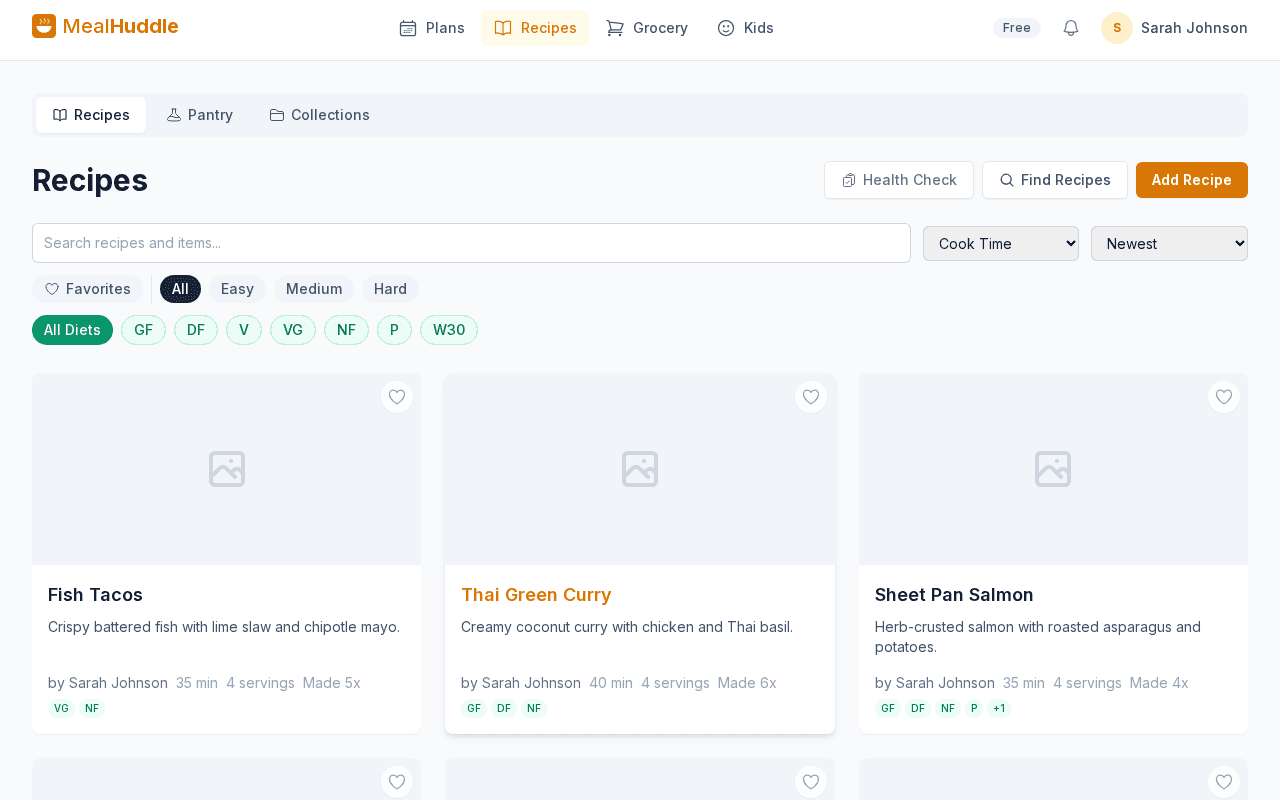
A real look at what meal planning looks like with MealHuddle.
Frequently asked questions
- Is recipe import free?
- Yes. Importing from URLs, photos, PDFs, and other apps is free for everyone — no Pro subscription needed.
- Can it read handwritten recipes?
- Yes. The photo import reads handwritten recipe cards, including cursive. It structures the text into a proper recipe with separate ingredients and steps.
- Which websites does URL import work with?
- MealHuddle works with thousands of recipe sites. It first tries to read structured data from the page (fastest and most accurate), then falls back to smart extraction for sites without it.
- Can I import from Paprika, Mealie, or Plan to Eat?
- Yes. MealHuddle supports bulk import from Paprika, Mealie, and Plan to Eat. Upload the export file from those apps and your entire library transfers over — photos, nutrition data, and all.
Ready to try it?
MealHuddle is free for your whole household. Set up in under a minute and start planning meals together.
More solutions
Meal planning that actually works for families
Most meal planning apps were built for one person. MealHuddle was built for your whole household.
A grocery list that doesn’t lose your items
Auto-generated from your meal plan, organized by department, and synced in real time while you shop.
Import recipes from anywhere — photos, PDFs, URLs
Stop retyping recipes from cookbooks and screenshots. Snap a photo, paste a link, upload a PDF, or save with one click from the Chrome extension.
Free meal planning without the paywall tricks
A generous free tier that covers everything a household needs to plan meals, share recipes, and generate grocery lists.
Plan meals together, in real time
When someone adds a recipe, edits a meal, or checks off a grocery item, everyone in the household sees it instantly.
Let AI handle the meal planning
MealHuddle uses AI to suggest meals, generate recipes, guide you through cooking, and learn what your household loves.
Generate recipes from a description
Describe what you want to cook and get a complete recipe with ingredients, steps, and timing — in seconds.
A grocery list that thinks ahead
Auto-generated from your meal plan, organized by department, and smart enough to scan your receipts when you’re done.
Cook together, from anywhere in the kitchen
Start a live cooking session, check off steps as you go, and see who’s cooking and where they are in the recipe.