Generate recipes from a description
Describe what you want to cook and get a complete recipe with ingredients, steps, and timing — in seconds.
Sound familiar?
“I know exactly what I want to cook but I can’t find the right recipe online.”
Describe it in your own words — "a Thai peanut noodle bowl with shrimp" — and get a custom recipe built for you.
“AI recipe tools give me a recipe, but then it just disappears. I can’t save it anywhere useful.”
Generated recipes go straight into your library with ingredients auto-matched. Plan them, grocery-list them, and cook them like any other recipe.
“I want a weeknight dinner idea but recipe sites give me a wall of 45-minute meals.”
Describe what you need — "a quick 20-minute chicken dinner for 4" — and get a recipe that actually fits your time and serving needs.
“I have leftover ingredients and no idea what to make with them.”
Describe what you have — "chicken thighs, rice, and bell peppers" — and get a recipe that uses what’s already in your kitchen.
Here's how MealHuddle helps
Describe a dish, get a recipe
Type a few words about what you want to cook. MealHuddle generates a complete recipe with ingredients, measurements, steps, prep time, cook time, and serving size.
Describe a meal, get recipes and a shopping list
Describe a full meal — "Taco Tuesday with guac and churros" — and get it split into individual recipes with a combined grocery list. Plan the whole thing at once.
Type a name, get an ingredient list
Just type a recipe name like "Chicken Parmesan" and get a suggested ingredient list to start from. Edit and customize before adding it to your library.
Recipes land in your library
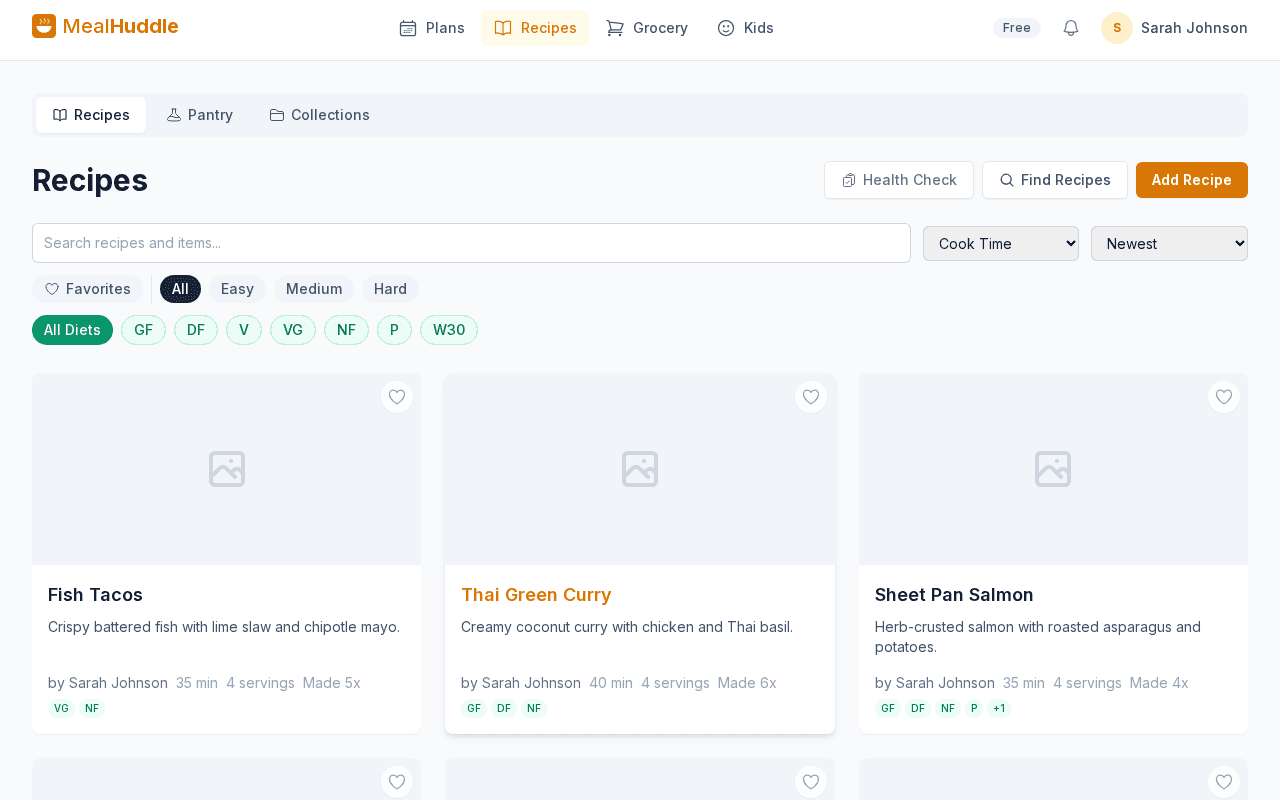
Generated recipes aren’t throwaway — they’re saved to your library with matched ingredients. Add them to your meal plan, generate a grocery list, and cook with Chef Mode.
See it in action
A real look at what meal planning looks like with MealHuddle.
Frequently asked questions
- How do I generate a recipe?
- On the Add Meal page or when creating a new recipe, describe what you want to cook in your own words. MealHuddle generates a complete recipe with ingredients, steps, and timing.
- Can I edit a generated recipe?
- Absolutely. Generated recipes work just like any other recipe in your library. Edit ingredients, adjust steps, change servings, add photos, and share with your household.
- Is recipe generation free?
- Recipe generation is a Pro feature. You can try it free for 14 days. Core features like meal planning, recipe import, and grocery lists are free forever.
- Can I generate recipes for specific dietary needs?
- Yes. Include dietary requirements in your description — "a gluten-free pasta dish" or "a vegan curry" — and the generated recipe will follow those constraints.
Ready to try it?
MealHuddle is free for your whole household. Set up in under a minute and start planning meals together.
More solutions
Meal planning that actually works for families
Most meal planning apps were built for one person. MealHuddle was built for your whole household.
A grocery list that doesn’t lose your items
Auto-generated from your meal plan, organized by department, and synced in real time while you shop.
Import recipes from anywhere — photos, PDFs, URLs
Stop retyping recipes from cookbooks and screenshots. Snap a photo, paste a link, upload a PDF, or save with one click from the Chrome extension.
Free meal planning without the paywall tricks
A generous free tier that covers everything a household needs to plan meals, share recipes, and generate grocery lists.
Plan meals together, in real time
When someone adds a recipe, edits a meal, or checks off a grocery item, everyone in the household sees it instantly.
Let AI handle the meal planning
MealHuddle uses AI to suggest meals, generate recipes, guide you through cooking, and learn what your household loves.
A grocery list that thinks ahead
Auto-generated from your meal plan, organized by department, and smart enough to scan your receipts when you’re done.
Cook together, from anywhere in the kitchen
Start a live cooking session, check off steps as you go, and see who’s cooking and where they are in the recipe.
Turn any recipe into yours — instantly
Snap a photo of a cookbook, paste a URL, or upload a PDF. Smart import extracts the recipe and adds it to your library.