Cook together, from anywhere in the kitchen
Start a live cooking session, check off steps as you go, and see who’s cooking and where they are in the recipe.
Sound familiar?
“My partner and I cook together but we’re always asking "what step are you on?" back and forth.”
Start a live cooking session and both of you see the same checklist. Check off steps as you finish them and the other person sees it instantly.
“I was halfway through a recipe, closed my phone, and lost my place. Had to start reading from the top.”
Your progress is saved. Close the app, switch devices, come back an hour later — your checked steps are right where you left them.
“I’d love to know when my partner starts cooking so I can help or at least know dinner’s coming.”
When someone starts a cooking session, everyone in the household can see "Grant is cooking!" with a live indicator. Jump in to help or just know dinner’s on the way.
“We split the prep work but there’s no good way to track who’s doing what.”
Chef Mode breaks the recipe into prep items and cooking steps. Check off what you’ve done and see what’s left at a glance — a shared to-do list for the kitchen.
Here's how MealHuddle helps
Live cooking sessions
Tap "Start Cooking" on any meal to begin a session. First gather your ingredients with a checklist, then work through prep and cooking steps — all synced in real time so everyone in the household sees the same progress.
See who’s cooking
A live presence indicator shows who’s actively cooking — "Grant is cooking!" or "Grant & Sarah are cooking!" Know when dinner’s underway without shouting across the house.
Track progress together
A progress bar shows how far along the meal is — "5 of 12 steps done." Check off steps from different devices and watch the bar fill up together.
Pick up where you left off
Cooking progress is saved between visits. Close the app to answer a call, switch to a different device, or come back tomorrow — your checked steps are still there.
See it in action
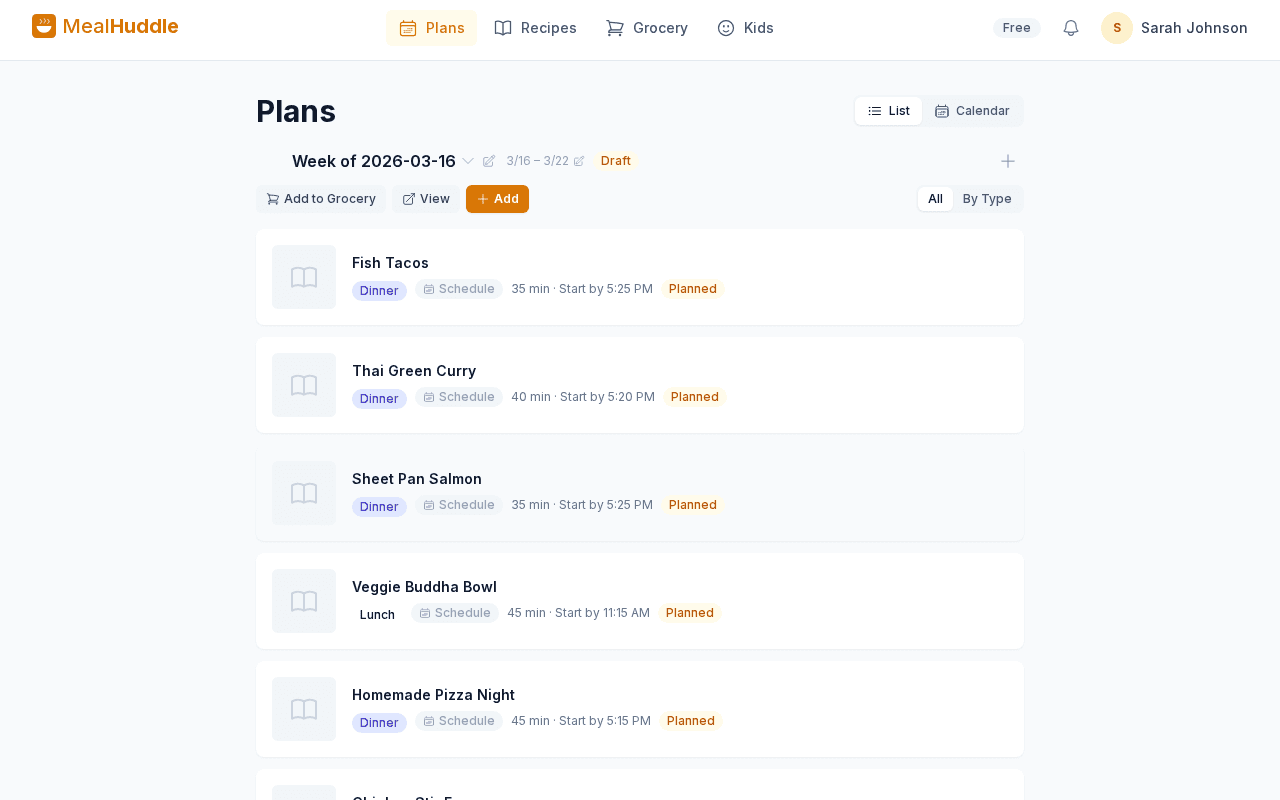
A real look at what meal planning looks like with MealHuddle.
Frequently asked questions
- How do I start a cooking session?
- Open any meal that has Chef Mode text and tap "Start Cooking." Your prep items and cooking steps become checkboxes. Check them off as you finish each one.
- Can two people cook the same meal together?
- Yes. Both people see the same checklist with real-time updates. When one person checks off a step, the other sees it instantly. A presence indicator shows who’s actively cooking.
- Does progress save between sessions?
- Yes. Your checked steps are saved and sync across devices. Close the app or switch phones — everything is right where you left it.
- Is this feature free?
- Live cooking sessions are part of Chef Mode, which is a Pro feature. You can try Pro free for 14 days. Core meal planning, recipes, and grocery lists are free forever.
Ready to try it?
MealHuddle is free for your whole household. Set up in under a minute and start planning meals together.
More solutions
Meal planning that actually works for families
Most meal planning apps were built for one person. MealHuddle was built for your whole household.
A grocery list that doesn’t lose your items
Auto-generated from your meal plan, organized by department, and synced in real time while you shop.
Import recipes from anywhere — photos, PDFs, URLs
Stop retyping recipes from cookbooks and screenshots. Snap a photo, paste a link, upload a PDF, or save with one click from the Chrome extension.
Free meal planning without the paywall tricks
A generous free tier that covers everything a household needs to plan meals, share recipes, and generate grocery lists.
Plan meals together, in real time
When someone adds a recipe, edits a meal, or checks off a grocery item, everyone in the household sees it instantly.
Let AI handle the meal planning
MealHuddle uses AI to suggest meals, generate recipes, guide you through cooking, and learn what your household loves.
Generate recipes from a description
Describe what you want to cook and get a complete recipe with ingredients, steps, and timing — in seconds.
A grocery list that thinks ahead
Auto-generated from your meal plan, organized by department, and smart enough to scan your receipts when you’re done.
Turn any recipe into yours — instantly
Snap a photo of a cookbook, paste a URL, or upload a PDF. Smart import extracts the recipe and adds it to your library.