A grocery list that thinks ahead
Auto-generated from your meal plan, organized by department, and smart enough to scan your receipts when you’re done.
Sound familiar?
“I plan meals for the week but still end up writing the grocery list by hand.”
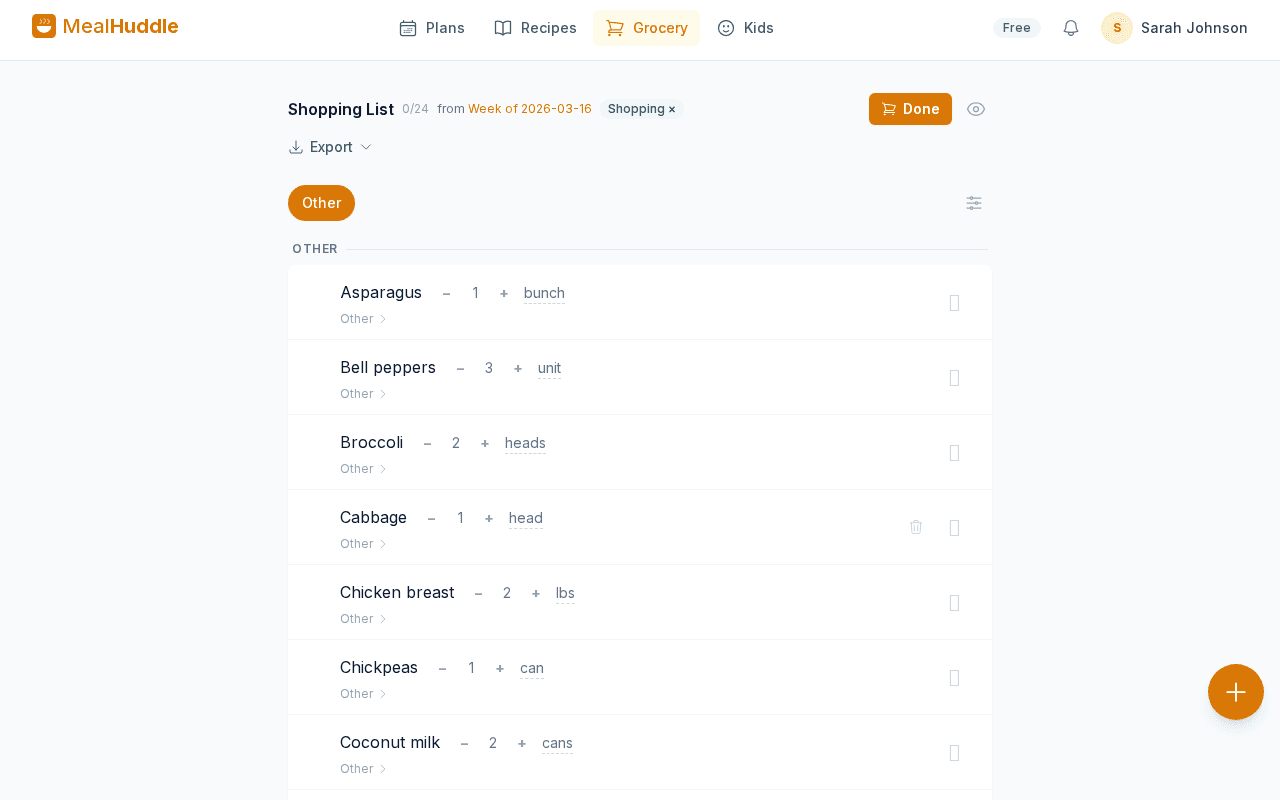
One tap generates your grocery list from the entire meal plan. Quantities combine automatically and everything is sorted by store department.
“I have no idea what groceries actually cost us each week. I just guess.”
Scan your receipt after shopping and prices auto-match to your grocery items. Track what you’re actually spending over time.
“I always forget staples like milk and eggs because they’re not in any recipe.”
Set up staples once and they auto-populate every new list. Add multiple at once with commas — "milk, eggs, butter" — and never forget the basics.
“The grocery list from my meal planning app is just a jumbled list of ingredients. No organization at all.”
Items are grouped by store department — produce, dairy, meat, pantry — so you shop aisle by aisle instead of zigzagging through the store.
Here's how MealHuddle helps
One-tap list from your meal plan
Hit "Add to Grocery" and your entire week’s worth of ingredients lands on the list. Same ingredients from different recipes combine quantities automatically — no duplicates, no mental math.
Organized by store department
Produce, dairy, meat, bakery, frozen — items are grouped by where you’ll find them in the store. Shop efficiently instead of backtracking through aisles.
Receipt scanning for price tracking
Snap a photo of your grocery receipt and prices auto-match to your list items. See what you’re actually spending on groceries each week.
Staples that never get forgotten
Set up your regular buys — milk, eggs, bread, coffee — as staples. They show up on every new list automatically so you never leave the store without the essentials.
See it in action
A real look at what meal planning looks like with MealHuddle.
Frequently asked questions
- How does the AI grocery list work?
- When you have meals planned for the week, tap "Add to Grocery" and MealHuddle builds your list from recipe ingredients. Same items combine, quantities add up, and everything is sorted by department.
- Can I scan grocery receipts?
- Yes. Take a photo of your receipt and MealHuddle matches items to your grocery list and records prices. This is a Pro feature — try it free for 14 days.
- Is the grocery list free?
- Yes. Auto-generated grocery lists, department grouping, staples, real-time sync, and manual item entry are all free. Receipt scanning is a Pro feature.
- Does the grocery list sync between devices?
- Instantly. Check off an item on your phone and your partner sees it on theirs. Shop from different aisles or different stores and stay perfectly in sync.
Ready to try it?
MealHuddle is free for your whole household. Set up in under a minute and start planning meals together.
More solutions
Meal planning that actually works for families
Most meal planning apps were built for one person. MealHuddle was built for your whole household.
A grocery list that doesn’t lose your items
Auto-generated from your meal plan, organized by department, and synced in real time while you shop.
Import recipes from anywhere — photos, PDFs, URLs
Stop retyping recipes from cookbooks and screenshots. Snap a photo, paste a link, upload a PDF, or save with one click from the Chrome extension.
Free meal planning without the paywall tricks
A generous free tier that covers everything a household needs to plan meals, share recipes, and generate grocery lists.
Plan meals together, in real time
When someone adds a recipe, edits a meal, or checks off a grocery item, everyone in the household sees it instantly.
Let AI handle the meal planning
MealHuddle uses AI to suggest meals, generate recipes, guide you through cooking, and learn what your household loves.
Generate recipes from a description
Describe what you want to cook and get a complete recipe with ingredients, steps, and timing — in seconds.
Cook together, from anywhere in the kitchen
Start a live cooking session, check off steps as you go, and see who’s cooking and where they are in the recipe.
Turn any recipe into yours — instantly
Snap a photo of a cookbook, paste a URL, or upload a PDF. Smart import extracts the recipe and adds it to your library.