Meal planning that actually works for families
Most meal planning apps were built for one person. MealHuddle was built for your whole household.
Sound familiar?
“My wife and I share one login because there’s no way to have two accounts on the same plan.”
Everyone in your household gets their own account. Recipes, meal plans, and grocery lists are shared automatically.
“I plan all the meals and my partner has no idea what we’re eating until I text them.”
Every household member sees the meal plan in real time. Anyone can add, edit, or rearrange meals.
“The kids never know what’s for dinner. They just ask me five times a day.”
Little Chefs gives kids their own screen where they can see upcoming meals, rate what they liked, and request dishes.
“We tried a shared spreadsheet but someone always forgets to check it.”
Changes sync instantly to every device. No refresh, no spreadsheet, no missed updates.
Here's how MealHuddle helps
Everyone gets their own account
No shared logins, no password sharing. Invite your partner, roommates, or the whole family with a link or QR code. No per-seat charges on the free plan.
Plan meals on a weekly calendar
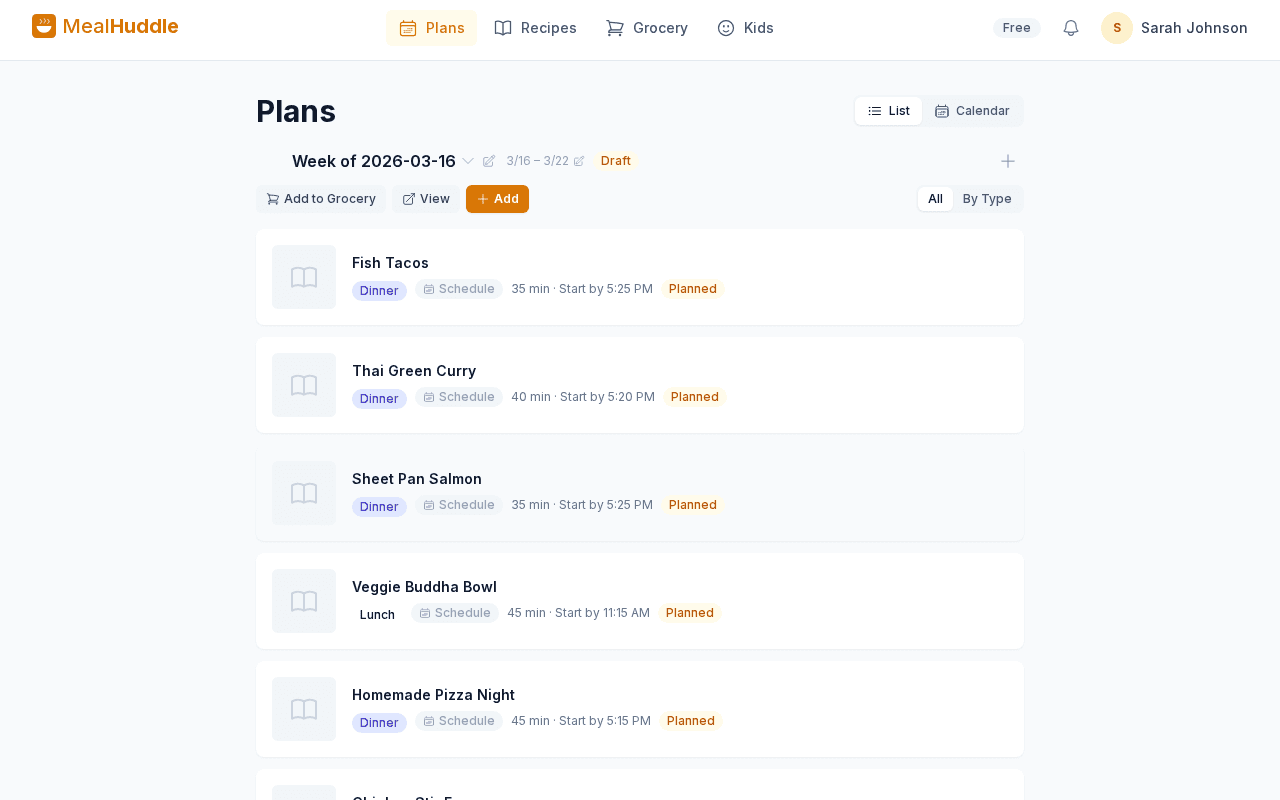
See your whole week at a glance. Drag meals between days, plan breakfast through dinner, save plans as reusable templates, and copy meals to next week with one tap.
Kids rate meals and request favorites
Little Chefs mode lets kids pick avatars, see what’s for dinner, rate meals they loved, and request recipes for next week.
Real-time sync across every device
Someone adds a recipe at work, their partner sees it at home instantly. Check off grocery items while you shop together from separate aisles.
See it in action
A real look at what meal planning looks like with MealHuddle.
Frequently asked questions
- How many family members can join?
- Unlimited — your whole household can join for free. Everyone gets their own account with shared access to recipes, meal plans, and grocery lists.
- Is it free for families?
- Yes. MealHuddle’s core features — meal planning, recipes, grocery lists, and household sharing — are free forever. No per-seat charges, no trial clock.
- Can kids use it?
- Yes. Little Chefs mode gives kids a simplified screen where they can see upcoming meals, rate dishes, and request favorites. It even has a kiosk mode for a shared tablet.
- Do changes sync between devices?
- Instantly. When someone adds a meal, edits a recipe, or checks off a grocery item, everyone in the household sees the update in real time.
Ready to try it?
MealHuddle is free for your whole household. Set up in under a minute and start planning meals together.
More solutions
A grocery list that doesn’t lose your items
Auto-generated from your meal plan, organized by department, and synced in real time while you shop.
Import recipes from anywhere — photos, PDFs, URLs
Stop retyping recipes from cookbooks and screenshots. Snap a photo, paste a link, upload a PDF, or save with one click from the Chrome extension.
Free meal planning without the paywall tricks
A generous free tier that covers everything a household needs to plan meals, share recipes, and generate grocery lists.
Plan meals together, in real time
When someone adds a recipe, edits a meal, or checks off a grocery item, everyone in the household sees it instantly.
Let AI handle the meal planning
MealHuddle uses AI to suggest meals, generate recipes, guide you through cooking, and learn what your household loves.
Generate recipes from a description
Describe what you want to cook and get a complete recipe with ingredients, steps, and timing — in seconds.
A grocery list that thinks ahead
Auto-generated from your meal plan, organized by department, and smart enough to scan your receipts when you’re done.
Cook together, from anywhere in the kitchen
Start a live cooking session, check off steps as you go, and see who’s cooking and where they are in the recipe.
Turn any recipe into yours — instantly
Snap a photo of a cookbook, paste a URL, or upload a PDF. Smart import extracts the recipe and adds it to your library.