If you've ever felt like dinner sneaks up on you every single night — despite it happening at roughly the same time for your entire life — a meal planning calendar might be the thing that finally fixes it. It's not a new concept, but when you actually commit to one, the results are kind of magical: less stress, less spending, and a lot fewer frantic trips to the grocery store at 5:45 PM.
Let's walk through how to set one up, what to put on it, and how to make it a habit that sticks.
Why a Meal Planning Calendar Works Better Than Winging It
The problem with deciding what to eat in the moment is that you're making that decision when you're already hungry, tired, and short on time. That's a recipe for takeout, not dinner.
A meal planning calendar moves that decision to a calmer moment — maybe Sunday morning with a cup of coffee, or Thursday night while you're watching TV. You think through the week once, and then you just follow the plan. No daily decision fatigue. No standing in front of the fridge hoping something inspires you.
Families who use a weekly meal planning calendar consistently report spending less on groceries, wasting less food, and feeling less stressed about dinner. Those aren't small wins — they add up to real hours and real dollars every month.
What Goes on a Meal Planning Calendar
Your calendar doesn't need to be complicated. At its core, it tracks one thing: what your family is eating for dinner each night this week.
Here's a simple layout for a week:
- Monday: Chicken stir-fry with rice
- Tuesday: Black bean tacos
- Wednesday: Pasta with meat sauce
- Thursday: Sheet pan sausage and vegetables
- Friday: Homemade pizza
- Saturday: Leftovers or eating out
- Sunday: Slow cooker soup
That's it. Seven slots, filled in advance. Some people extend their calendar to include lunch and breakfast, but if you're just starting out, dinner is more than enough.
What Else to Note
Beyond the meals themselves, a good meal planning calendar also accounts for:
- Busy nights — Mark evenings with soccer practice, late meetings, or errands. These get your fastest meals: 15-minute dinners, slow cooker recipes, or planned leftovers.
- Grocery day — Pick a consistent day to shop. Planning and shopping on the same day (or back-to-back days) keeps things fresh in your mind.
- Prep windows — If you know you'll have 30 minutes on Sunday afternoon, note what you can prep ahead: chop vegetables, marinate chicken, cook a batch of rice.
Choosing Your Meal Planning Calendar Format
People get surprisingly passionate about this. There's no single right answer — the best format is whichever one you'll actually use.
Paper Options
A meal planning notebook is a classic choice. Some people use a dedicated notebook where they plan each week on a new page, keeping a running record of meals they've made and liked. It's satisfying to flip back through weeks of plans and see what worked.
Others prefer a meal planning template — a printable weekly grid that you fill in, stick on the fridge, and replace each week. Templates work well if you like the visual reminder right where you cook.
The advantage of paper is simplicity. No apps to learn, no logins, no notifications. Just a pen and a plan. (Curious about the tradeoffs? We wrote a full comparison of digital vs. paper grocery lists.)
Digital Options
The advantage of digital is collaboration. If more than one person in your household cooks, shops, or has opinions about dinner (so... every household), a shared digital calendar means everyone can see the plan, add ideas, and check what's coming up.
Digital tools also make it easy to connect your meal plan to a grocery list. Instead of scanning each recipe and writing down ingredients by hand, the right tool can generate a shopping list from your planned meals automatically.
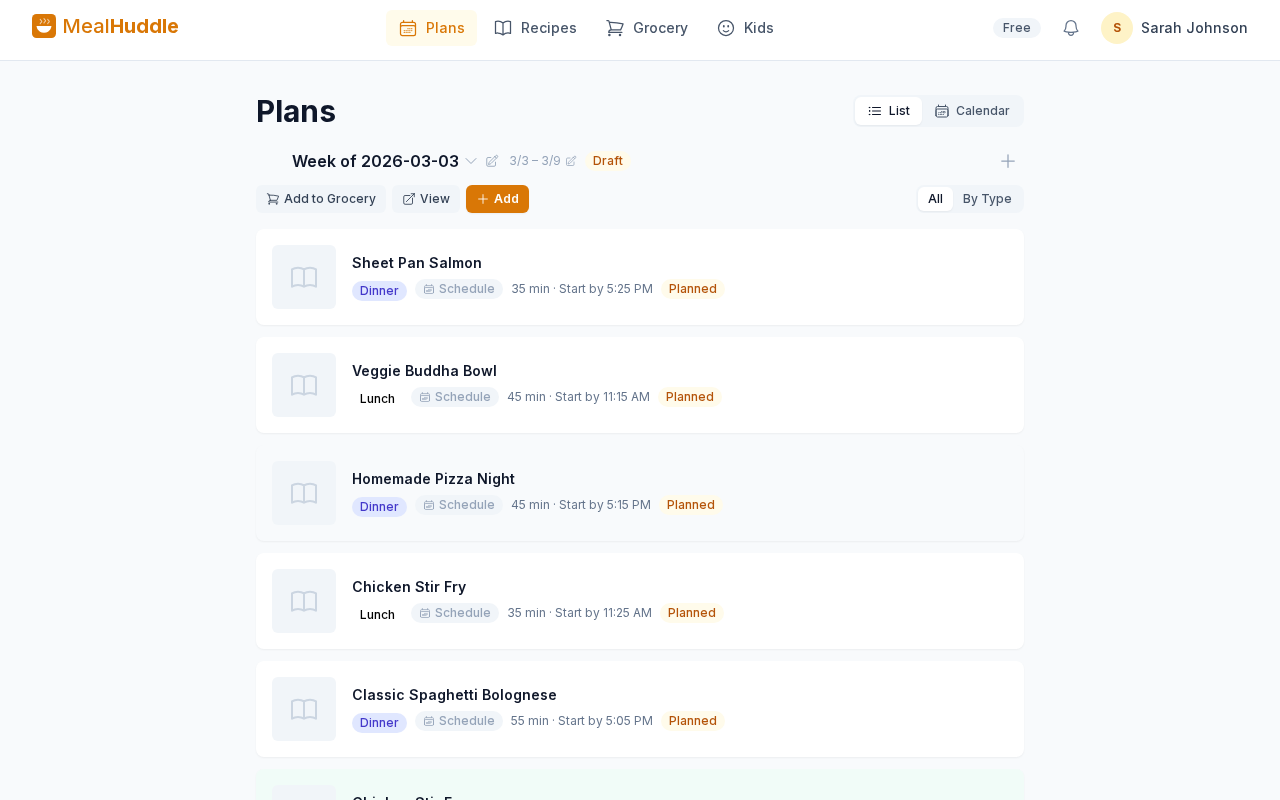
This is one of the things MealHuddle handles well — your whole household sees the same meal plan, and grocery lists build themselves from whatever you've planned. But whether you use an app or a whiteboard on the fridge, the principle is the same: plan once, eat all week.
How to Fill Your Calendar Without Overthinking It
The biggest trap in meal planning is spending more time planning than you'd ever spend just winging it. Here's how to keep it fast:
Build a Rotation of 15–20 Meals
You don't need a new recipe every night. Most families rotate through 15–20 meals that everyone likes. Write yours down — these are your go-to options. When it's time to plan, you're just picking from a list, not searching the internet for inspiration. Need help building that rotation? Our list of 75 easy family dinner ideas is a great place to start.
Use Theme Nights
Assigning a loose theme to each day of the week makes planning almost automatic:
- Monday: Pasta
- Tuesday: Tacos or Mexican
- Wednesday: Stir-fry or Asian
- Thursday: Soup or salad
- Friday: Pizza or something fun
- Weekend: Slow cooker, grill, or new recipe
You're not locked in — themes are guardrails, not rules. But they cut down on the "what should we make?" paralysis.
Plan Around What You Have
Before you fill in the calendar, check your fridge, freezer, and pantry. Got chicken thighs that need to be used? That's Monday's dinner. Half a bag of tortillas? Taco night goes on the calendar. Planning around what you have reduces waste and lowers your grocery bill. For a full breakdown of budget strategies, see our guide on eating well on $75 a week.
Leave a Gap
Don't plan 7 meals for 7 nights. Plan 5 or 6. Leave room for leftovers, spontaneous plans, or the night where nobody feels like cooking and cereal is dinner. A plan that's too rigid breaks the first time life gets in the way.
Making Your Meal Planning Calendar a Habit
The calendar itself is easy. The hard part is doing it every week. Here's what helps:
Pick a consistent planning day. Most people plan on Saturday or Sunday, but any day works. The key is consistency — same day, same time, until it becomes automatic.
Keep it visible. If your plan lives in a drawer or buried in an app you never open, it won't get used. Put it on the fridge, set it as your phone's home screen widget, or use a tool that your household checks naturally.
Involve the family. Let each person pick one meal per week. Kids are more likely to eat something they chose, and partners are less likely to complain about the plan if they had a say in it.
Review what worked. At the end of each week, take 30 seconds to note which meals were hits and which were misses. Over time, your calendar gets better because you're only filling it with proven winners.
What to Do When the Plan Falls Apart
It will. Someone gets sick, plans change, a key ingredient turns out to be expired, or you're just too tired to cook. This doesn't mean meal planning failed — it means life happened.
Have a backup strategy:
- Freezer meals — Keep one or two easy options frozen (a bag of soup, a casserole, even just frozen pizza)
- Pantry dinners — Pasta with butter and parmesan, rice and eggs, quesadillas — meals that need nothing from the store
- Swap, don't scrap — If Thursday's meal isn't happening, swap it with Saturday's simpler option instead of abandoning the whole week
The goal of a meal planning calendar isn't perfection. It's to make most nights easier, not all nights flawless.
Start This Week
Here's your homework: sit down for 10 minutes this weekend and fill in 5 dinners for next week. Use a notebook, a printable template, a whiteboard, or your phone — whatever feels natural. Check what you already have at home, write a short grocery list, and shop once.
Do it for 3 weeks. By the end of the third week, it'll feel like second nature — and you'll wonder how you ever survived without a plan.
If you want to make it even easier, try MealHuddle free. Plan meals as a household, build grocery lists automatically, and keep your family's favorite recipes all in one place. No more "what's for dinner?" — just good food, planned ahead.